

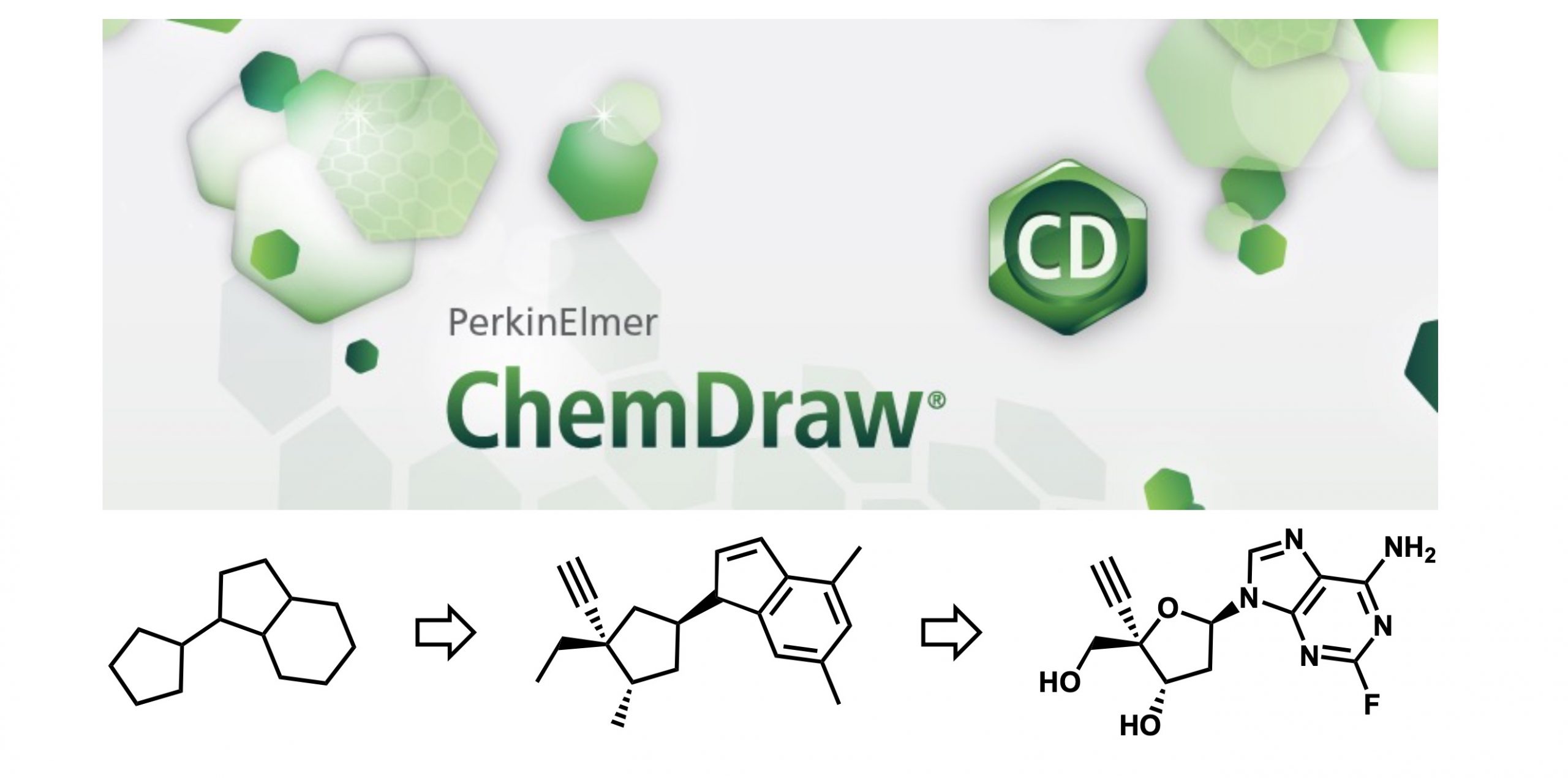
ChemDraw is a well-known structure-drawing software. Although ChemDraw is an indispensable software for chemists, probably not many people can fully utilize its functions… (I am one of them)? Here is a note for a memorandum:
With ChemDraw, you can beautifully draw structural equations like the one in the opening figure. However, to use ChemDraw, you need to purchase the license. Major Japanese universities have site license contracts, so you can use them without paying extra fees if you are a member of these universities.When you wish to purchase a license, consider that they offer student discounts.
The following are representative tools in menu bars:

File
You can open/save files and set document settings.
New from stationary: You can choose journal stylesheets. Choose ACS if you have no preference.
Document Setting: Set styles, including chemical structures.
- Layout: Document Size > Extend Height & Width pages for larger space.
- Drawing: Bonds
- Text Caption、Atom Labels: to change font size. Normal text = caption; atoms =label.
Apply Document Setting From…: To use other style sheets. It is convenient if you have a standard settings (template).
Edit
Cut, copy & paste, redo, insert.
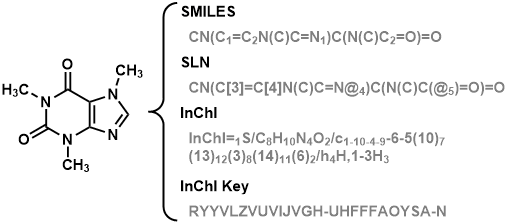
Copy as: Structural expressions can be converted to SMILE strings, SLN strings, etc. and pasted to the clipboard.
Paste Special: Contrary to “Copy as”, it converts a string into a structure.
Insert File…: Insert graphics (jpg, png…).
Views
ON/OFF of windows.
Show Crosshair & Rulers: Useful as a position guide.
Show Main, General, Style Toolbar: Essential for structure sketch.
Show Analysis, Chemical Properties: Calculated chemical properties can be estimated (molecular weight, mass distributions, boiling point)
Show Character Map: For special characters.
Show Chemical Warnings: Red marks for non-standard structures.
Actual Size, Fit to Window, Magnify, Reduce: Magnification.
Object
Control multiple objects.
Fixed Lengths & Angles: Should be checked for using settings from “Drawing Setting”.
Show Stereochemistry: OFF (for clarity).
Align, Distribute: Useful for preparing tables and schemes.
Add Frames: Adding brackets, parentheses, baraces…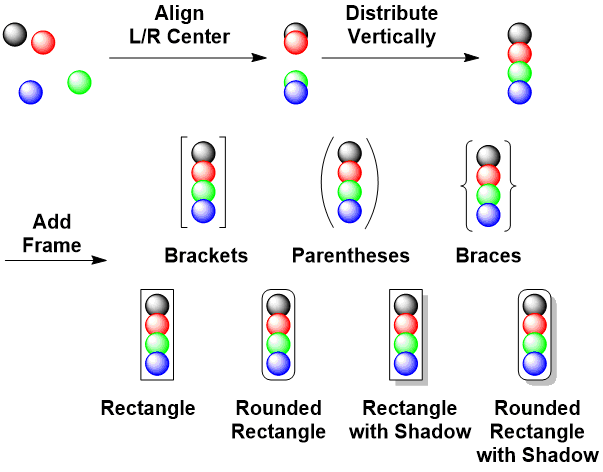
Group, Ungroup: Handling multiple objects as a single object.
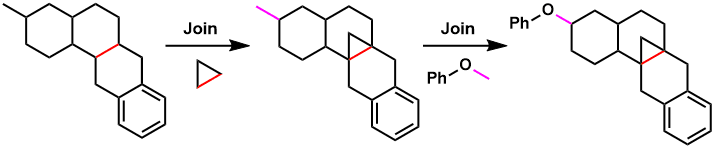
Join: Draw a structure by connecting 2 fragments. Useful for drawing chemical reactions.
Bring to Front, Send to Back: Use shortcuts (F2&F3 for Win).
Frip, Rotate, Scale: Very helpful.
Structure
Controls structures.
Check Structure: check.
Clean-Up Structure: Normalize selected structures.
Expand Label: Label to chemical structure.
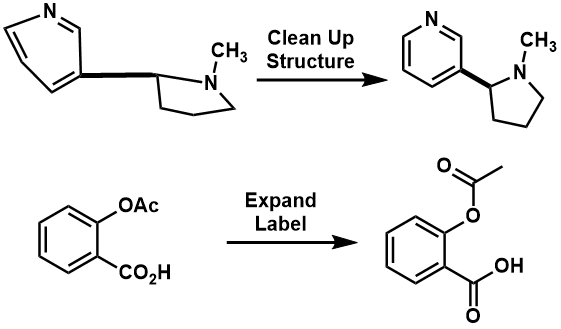
Contract Label: Structure to label.
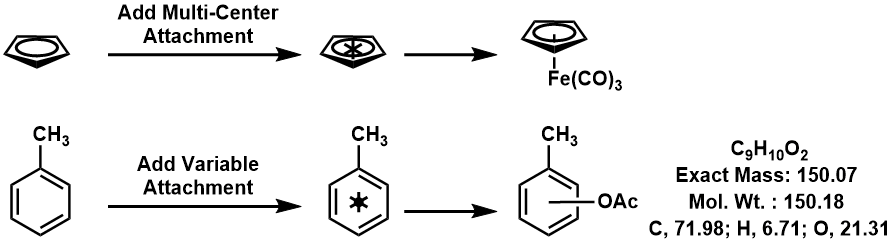
Add Multi-Center Attachment: for Cp ring and allyl species.
Add Variable Attachment: Representing isomeric mixture. Interpreted correctly with analysis window.
Predict 1H-NMR Shifts, 13C-NMR Shifts: Structure to predicted NMR spectra.
Convert Name to Structure, Convert Structure to Name: Mostly correct.